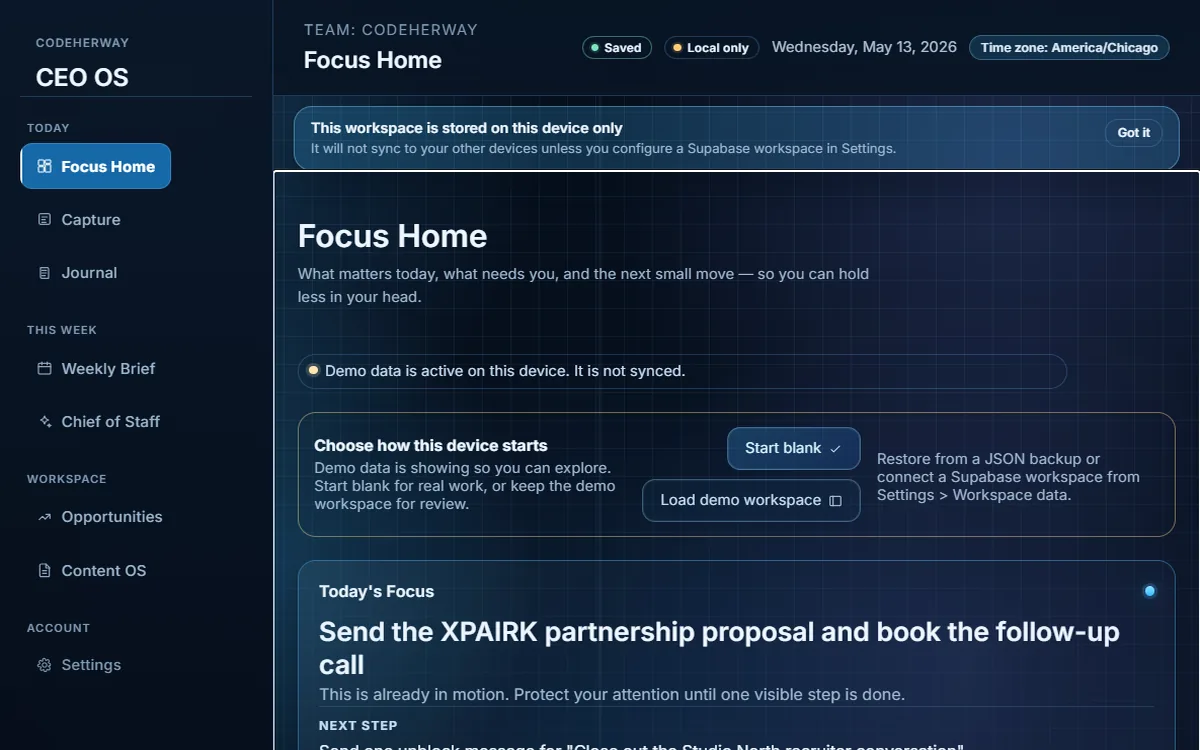
Focus Home
Ranks the next smallest action across priorities, blockers, reminders, journal signals, opportunities, and drafts.

Case study
A local-first founder command center for focus, capture, journaling, opportunities, content planning, weekly execution, and chief-of-staff workflows — built in React 19 to demonstrate product-minded frontend systems work, not just feature output. The hard part is invisible: a data layer that stays trustworthy through reloads, stale writes, corrupted storage, and offline gaps.
Founder workflow lens
CEO OS needed to help a solo founder move between priorities, opportunities, planning, and capture without feeling buried in dashboard noise. The product surface is calm on purpose; the engineering underneath treats local data as something that can be reloaded, edited in two tabs, corrupted, or written while offline — and handles each of those cases explicitly instead of hoping they don't happen.
Ranks the next smallest action across priorities, blockers, reminders, journal signals, opportunities, and drafts.
Source-state copy explains what is local, paused, offline, or synced — never a fake "saved to cloud".
Separate spaces keep capture, planning, opportunities, and execution easier to resume.
Founder work spreads across notes, tasks, opportunities, content ideas, and planning rituals. That tool-switching can make important work feel scattered, especially when the system does not clearly show what matters today.
Still to validate: which workflows are most valuable over repeated weekly use, and whether the current mental model holds up for founders beyond the original use case.
Sole designer and engineer. I own the dashboard, the eight workflow domains, the repository-pattern data layer, the versioned storage and migration registry, the optimistic-concurrency and corruption-recovery behavior, the offline write queue, the AI proxy, the source-status language, and the CI gates for accessibility and bundle size.
{ schemaVersion, domain, model, data }, and an envelope whose domain doesn't match the read site is rejected — closing the "wrong key swap" failure mode. A forward-compat migration registry lifts older payloads transparently.updatedAt and reject stale saves with a typed StaleRecordError; the edit surface shows a friendly conflict message and refreshes the row under the open modal, so closing it reveals the current data.Founder workflows need quick capture and review before a production account system is ready.
Ship a hardened local-first layer — versioned envelopes, optimistic concurrency, corruption recovery, and an offline replay queue — while source-state copy explains what is local, paused, or synced.
The product demonstrates production-grade data-integrity engineering, but multi-user Supabase sync stays a feature-gated upgrade path until authenticated duplicate-write flows are verified.
@axe-core/playwright scans every primary route against WCAG 2.0/2.1 A and AA plus best-practice rules, and serious or critical violations fail the build.The project is a working portfolio-grade founder workflow system with hardened local-first behavior and a feature-gated Supabase upgrade path. It is not positioned as a complete multi-user SaaS product yet.
For productivity tools, trust comes from reducing ambiguity: where the work is saved, what needs attention, and what action is realistic next. The product feels stronger when the interface — and the data layer behind it — names those states plainly instead of hiding failure behind dashboard polish.